Record LSL streams to XDF
This example pipeline, RecordLSLToXDF.pyp, records one or several lab streaming layer (LSL) streams to an XDF file. By default, it searches for any LSL stream of type EEG (i.e., the stream provided by your EEG device), and optionally an event marker stream, and records them into an XDF file. By editing the settings of the LSL Input nodes, you can also record any other type of stream, or find a particular stream to record by its name. XDF is a multi-stream and multi-modal format: the streams are saved separately in the file, with their own properties and sampling rates.
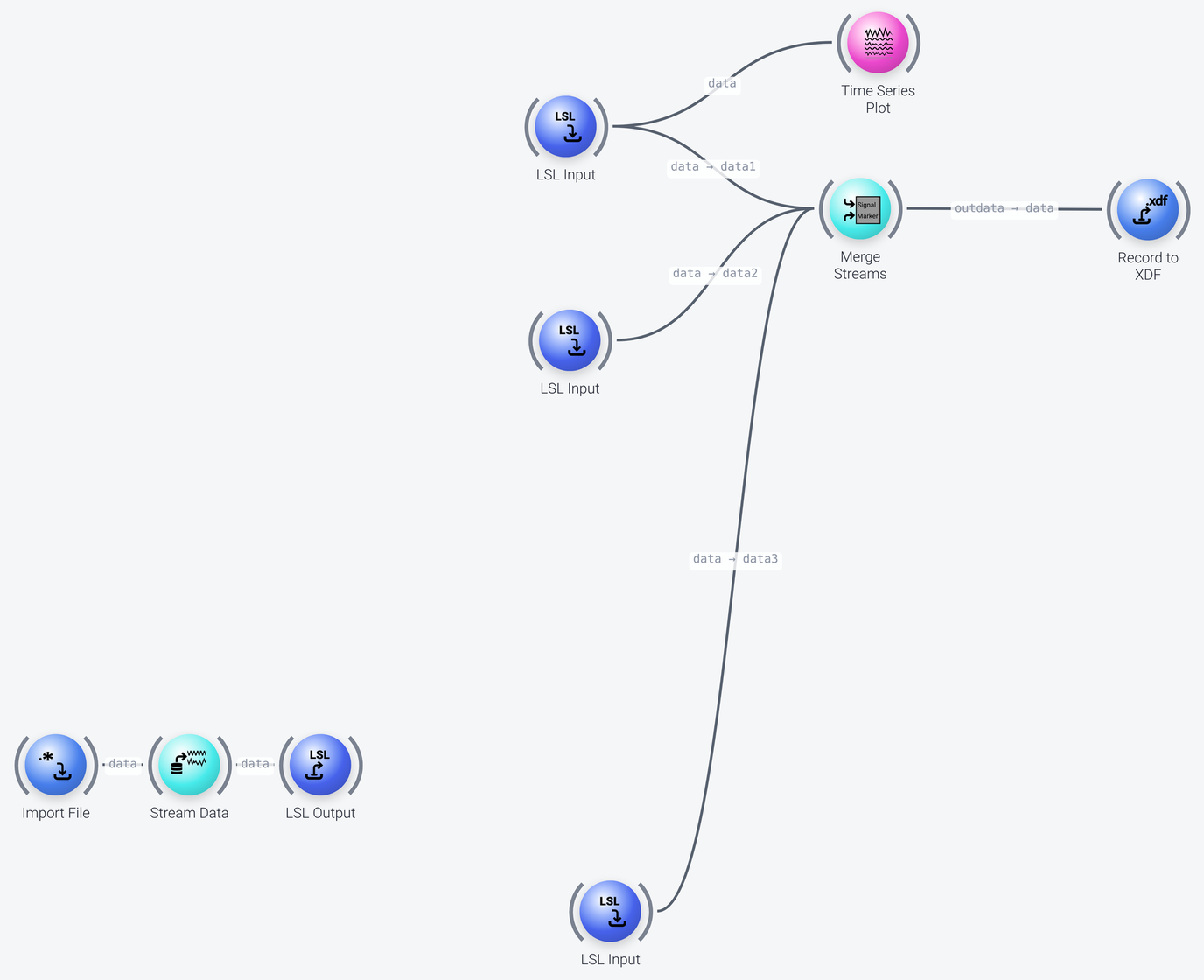
Recording the Streams
Includes: LSL Input, Merge Streams, Record to XDF and Time Series Plot
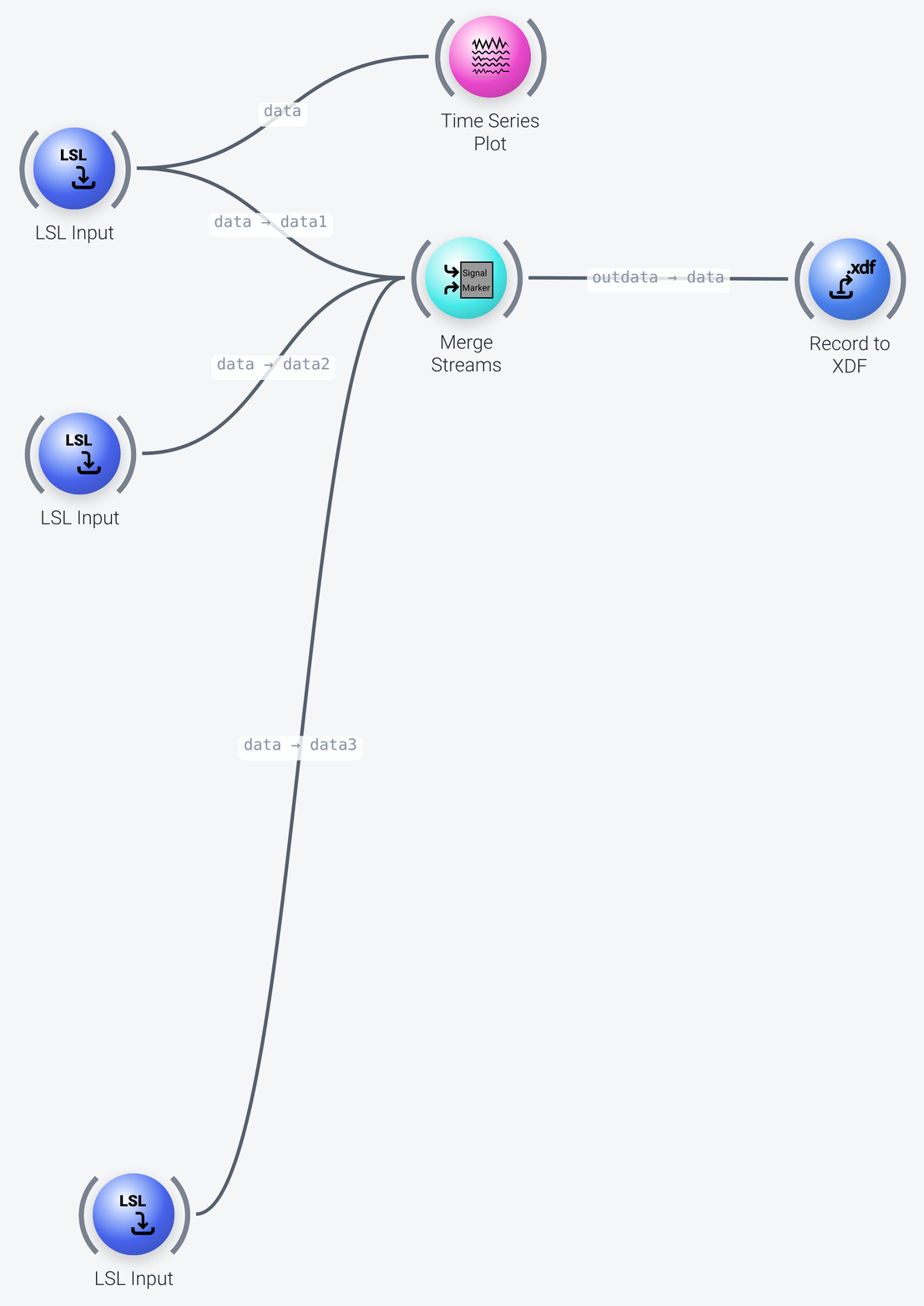
The pipeline has three LSL Input nodes, each of which looks for a different stream:
- The first
LSL Inputnode (at the top) is configured to find any EEG stream on your local network (itsqueryproperty istype='EEG'), and also a marker stream (itsmarker_queryproperty istype='Markers'), which it records together with the EEG. To narrow the search down to a specific stream, change the query to, for instance,name='your LSL stream name'. You can also enable thelocalhost_onlyproperty of the node to restrict the discovery of LSL streams to those produced by this machine, and not by other machines on the network. If you do not intend to record a marker stream, clear themarker_queryproperty. - The second
LSL Inputnode is configured to search for an LSL stream from an eye tracker (queryoftype='Gaze'). If no such stream is found, this will not prevent the otherLSL Inputnodes from finding and processing their streams. - The third
LSL Inputnode only looks for a marker stream (marker_queryoftype='Markers', with an emptyquery). Typically, you set anLSL Inputnode to capture a marker stream at the same time as a signal (EEG or other) stream, as in the first node. But if you want to capture a marker stream if it is present, without waiting for it if it is not, put it in a separateLSL Inputnode that only looks for the marker stream, and then merge it in.
The Merge Streams node places the streams of the LSL Input nodes into a single packet (it does not merge them into a single stream). You can capture and merge as many LSL streams as you need, of the same or of different modalities.
The Record to XDF node records the packet to an XDF file, whose name is set in its filename property. As described above, the streams are saved separately in the file; if only one stream is found, then only one stream is recorded. The close_on_marker property sets a marker (here close-recording) that closes the recording when it is encountered in the data (this may not complete immediately if there is still data to be written).
Checking For Incoming Data
The Time Series Plot is not needed for the recording, it is only there to view the EEG data that is captured via LSL. You could also use an Inspect Data or Print Packet to Console node here to visually check that data is coming in, or a No Data Alert node to raise a popup if no data comes through for a defined amount of time. For a more complex data checking requirements, look at the Gate Check node in the diagnostics package.
Record Nodes and Export Nodes
The Record to nodes, such as Record to XDF, save streaming data to disk: they write each chunk of samples to the same file, as it is received. However, this node can also save an entire file of data to disk if working with recorded/offline data instead of live/streaming data. You can also export to other formats, such as EDF, CSV, HDF, Pickle (python), etc. See the Export nodes in the filesystem package.
Data Acquisition
The three nodes in the bottom left of the pipeline (Import File, Stream Data and LSL Output, which are shown in the screenshot of the whole pipeline) are only there to simulate a live data source, so that the pipeline can be run without one: they play back a recording as an LSL stream called MyPlaybackStream (of type EEG, with markers). Normally you would remove them. See Data input in the example pipelines for more on this.