Saccade-locked EEG ERPs from gaze data (offline)
This example pipeline, GazeExtractSaccadeERPsOfflineData.pyp, extracts event-related potentials (ERPs) that are locked to eye movements (saccades) from a recording of EEG and eye tracking (gaze) data. It detects the saccades in the gaze data, cleans the EEG, cuts the EEG into segments around each saccade, averages the segments into an ERP, and extracts the average ERP amplitude in two time windows. The results are exported to an HDF5 file. The data is a recording, sample-gaze-data.xdf, which contains EEG data and gaze data recorded with an eye tracker.
This pipeline processes recorded (offline) data, not a live data stream: each node is executed once, and the entire recording is passed from one node to the next. See the tutorial on streaming vs. offline data for more on this. The detection of saccades in a live gaze stream is shown in the live gaze processing example.
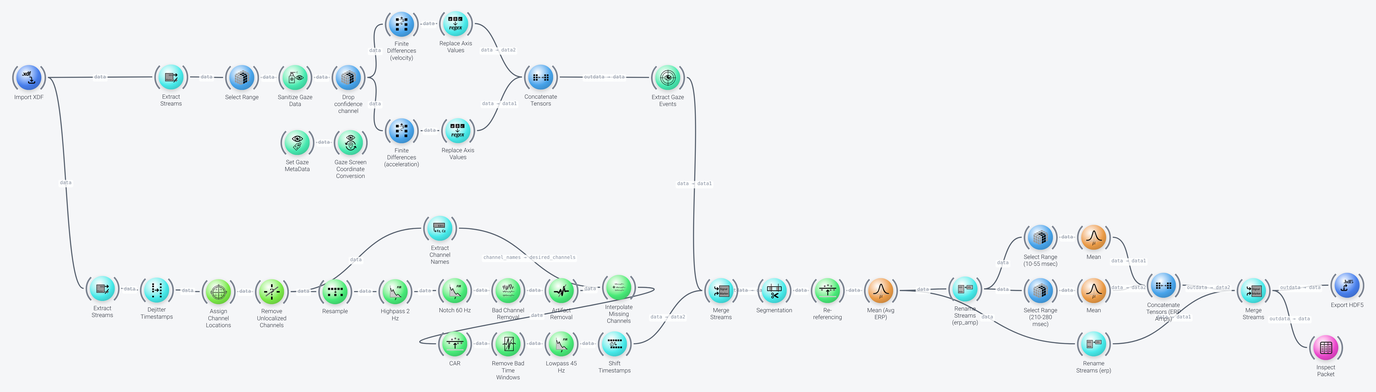
The pipeline can be divided into five parts, which we discuss in the following: gaze data processing, EEG preprocessing, ERP extraction, ERP amplitudes, and export.
Gaze Data Processing
Includes: Import XDF, Extract Streams, Select Range, Sanitize Gaze Data, Set Gaze MetaData, Gaze Screen Coordinate Conversion, Finite Differences, Replace Axis Values, Concatenate Tensors and Extract Gaze Events
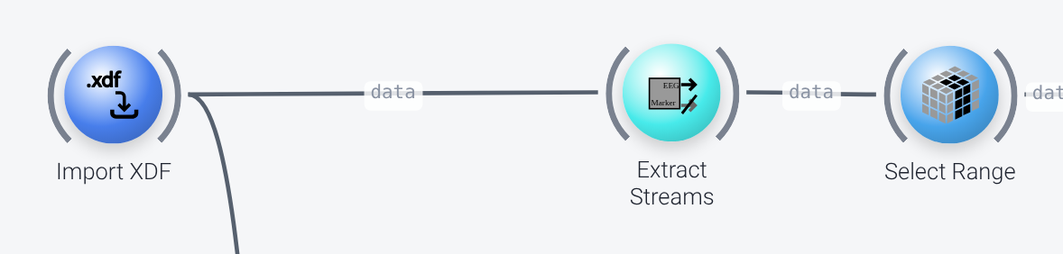
The Import XDF node loads the recording (its filename property), which contains several streams, among them an EEG stream and a gaze stream. The Extract Streams node in the top row keeps only the gaze stream, selected by its name (its stream_names property is ['gaze']).
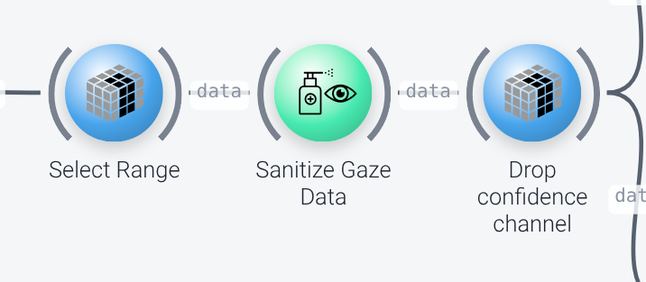
Select Rangeselects the channels of interest by their names (unitofnames): the confidence of the eye tracker in the reported gaze, and the x and y components of the gaze angle (confidence,gaze_ang_deg_xandgaze_ang_deg_y).Sanitize Gaze Datareplaces the bad samples, which are missing samples or those whose confidence is below theconfidence_threshold(0.2), by interpolating them (handle_badofinterpolate). Theconfidence_channelproperty gives the name of the confidence channel.- A second
Select Rangenode (titled Drop confidence channel) drops the confidence channel, which is no longer needed, so that only the gaze angles remain.
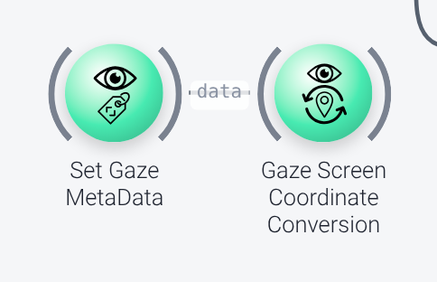
The Set Gaze MetaData and Gaze Screen Coordinate Conversion nodes (here converting from pixels to degrees) are not wired up in this pipeline. They are there to show how, if the gaze event detection method that you use expects the gaze data in specific units (such as degrees of visual angle), you can convert the data: Set Gaze MetaData sets the information that is required for the conversion (such as the distance between the user and the screen, and the dimensions of the screen), and Gaze Screen Coordinate Conversion does the conversion. They are not needed here, since the data is already in degrees.
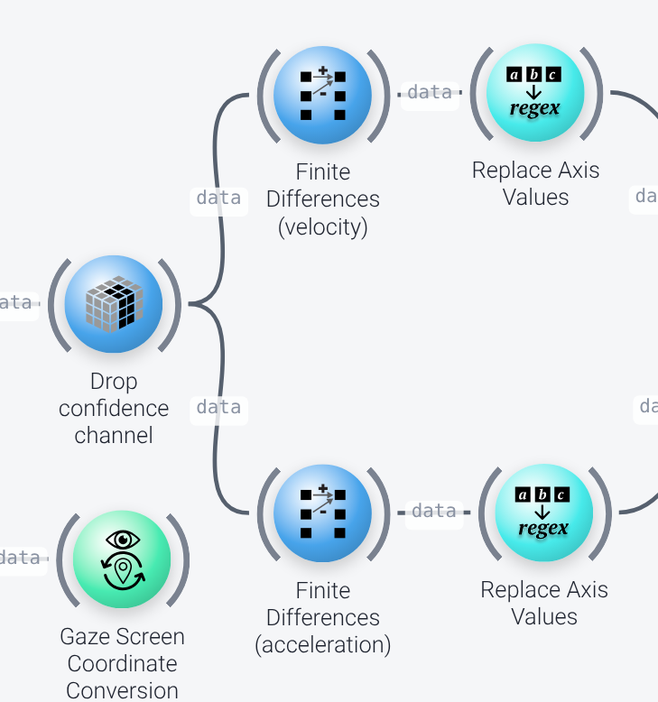
The method used to detect the saccades needs the velocity and the acceleration of the gaze. They are calculated from the gaze position by two Finite Differences nodes that work in parallel on the time axis, one with an order of 1 (the velocity) and one with an order of 2 (the acceleration). Their keep_shape property is enabled, so that the result has the same shape as the input. To tell the new channels apart, each of them is followed by a Replace Axis Values node, which appends the suffix _vel or _acc to the channel names (with a regular expression).
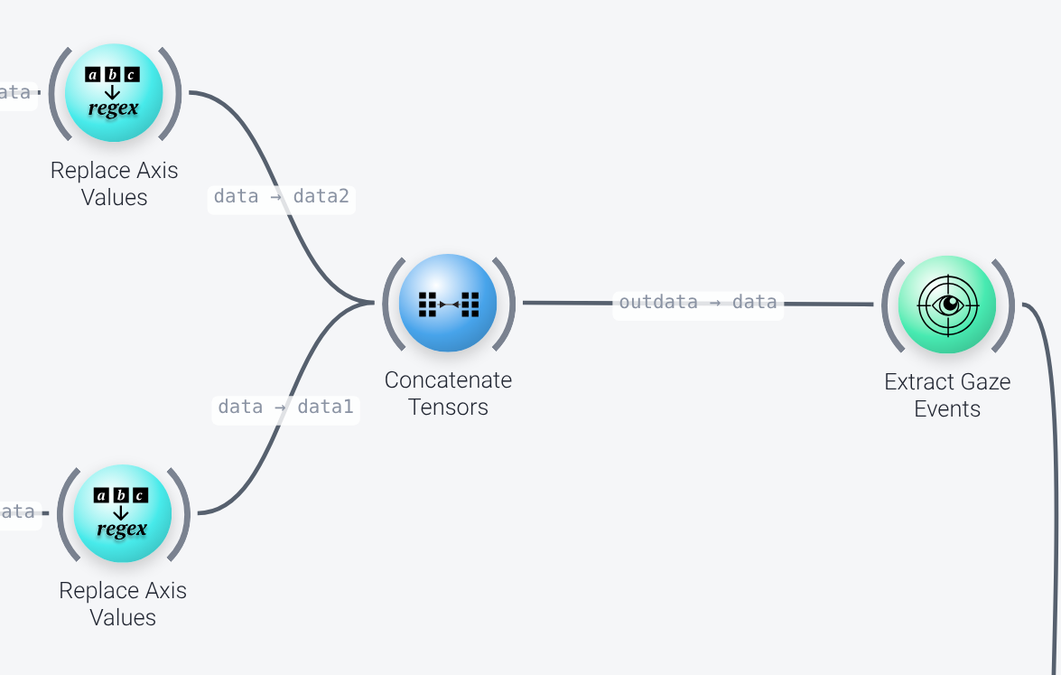
A Concatenate Tensors node then concatenates the gaze angles, the velocity and the acceleration channels along the space axis, and Extract Gaze Events detects the saccades. We are not interested in fixations, so its fixation_algorithm is none, and the saccade_algorithm is V+A threshold, which uses thresholds on the velocity (the velocity_threshold of 6 is an important property, which depends on the quality of your gaze data, and on whether you want to detect tiny saccades) and the acceleration. The result is a stream of events, one for each saccade. See the live gaze processing example for more details on these nodes.
EEG Preprocessing
Includes: Extract Streams, Dejitter Timestamps, Assign Channel Locations, Remove Unlocalized Channels, Resample, FIR Filter, Bad Channel Removal, Artifact Removal, Extract Channel Names, Interpolate Missing Channels, Re-referencing, Remove Bad Time Windows and Shift Timestamps
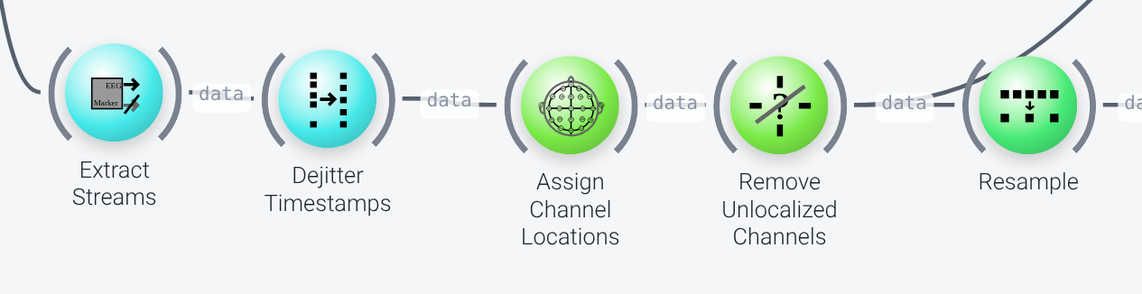
The EEG is cleaned by a standard preprocessing chain, which is the same as in the artifact removal example (see that page for a detailed description of the cleaning nodes), but for recorded data. (The PreprocessEEG meta-node can replace such a chain, as described in the bandpower example.) In the order of the data flow:
- The second
Extract Streamsnode (in the bottom row) keeps the EEG stream (stream_namesof['eeg']). Dejitter Timestampscorrects the jitter in the time stamps.Assign Channel LocationsandRemove Unlocalized Channelsassign each channel a location on the scalp, based on standard montages, and remove the channels that were not found in a montage (the non-EEG channels).Resampleresamples the data to 256 Hz (rate), in theoffline_noncausalmode, which is meant for recorded data.
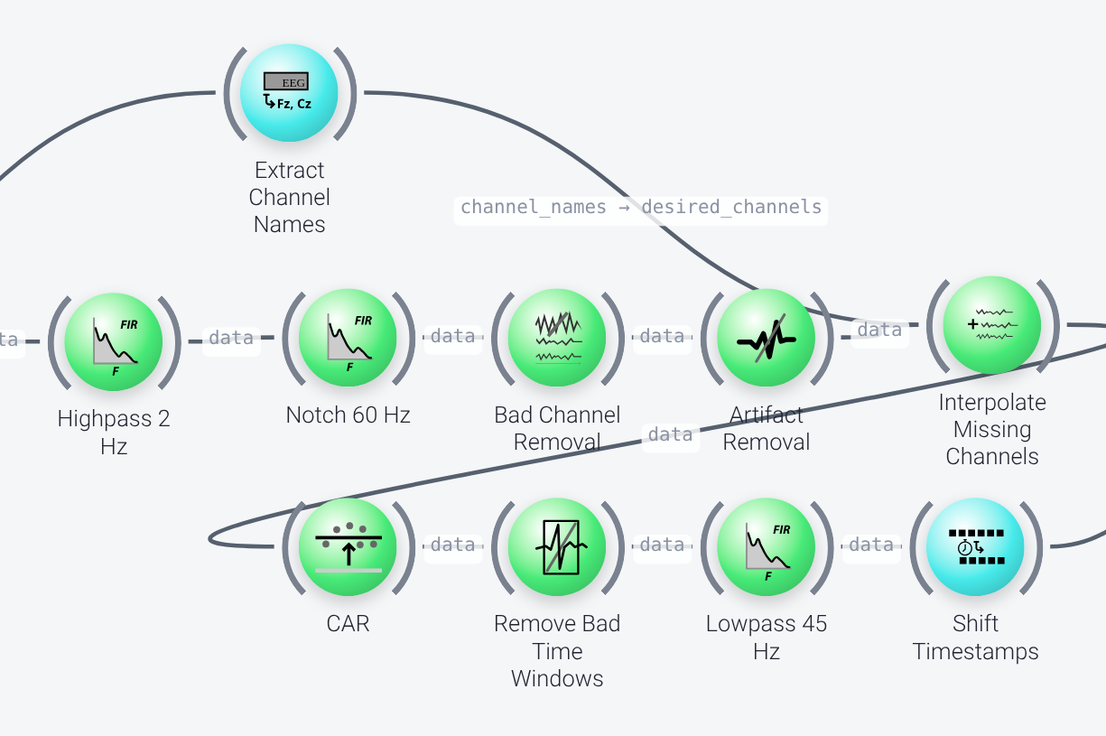
- A high-pass
FIR Filter(titled Highpass 2 Hz,frequenciesof 1 and 2 Hz) removes slow drifts. Its cut-off is higher than the usual 0.5 Hz here, since we are not interested in slow components. A secondFIR Filter(Notch 60 Hz) is a band-stop filter that removes the power line noise (frequenciesof 55 and 65 Hz). Change it to 50 Hz if you are in Europe. Bad Channel Removal,Artifact RemovalandInterpolate Missing Channelsremove the bad channels, clean the high-amplitude artifacts using the ASR algorithm, and then interpolate the channels that were removed (their names come fromExtract Channel Names), so that the data has all of its channels again.Re-referencing(titled CAR, with areference_rangeof:) changes to a common average reference,Remove Bad Time Windowsdrops the time windows that are still outliers (recorded data only), and a low-passFIR Filter(Lowpass 45 Hz) removes the frequencies above 45 Hz.Shift Timestampscompensates for the delay that was introduced by the filters (itscompensate_filter_lagproperty), so that the time stamps of the EEG line up with those of the saccade events.
ERP Extraction
Includes: Merge Streams, Segmentation, Re-referencing and Mean
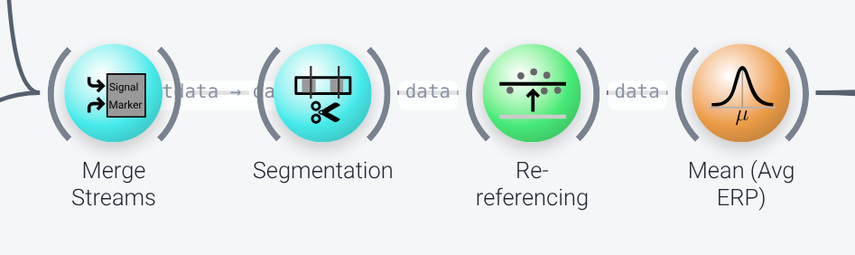
The Merge Streams node puts the cleaned EEG and the saccade events (taken as markers) in one packet, so that the Segmentation node can cut the EEG into segments around each saccade, from 0.3 seconds before to 0.4 seconds after it (time_bounds). The Re-referencing node subtracts the baseline of each segment, which is the mean of the data from 0.3 to 0.2 seconds before the saccade (reference_range of -0.3...-0.2, reference_unit of seconds, on the time axis). Finally, the Mean node (titled Mean (Avg ERP)) averages the segments, along the instance axis, to get the multichannel ERP, averaged over all the detected saccades.
ERP Amplitudes
Includes: Select Range, Mean, Concatenate Tensors and Rename Streams
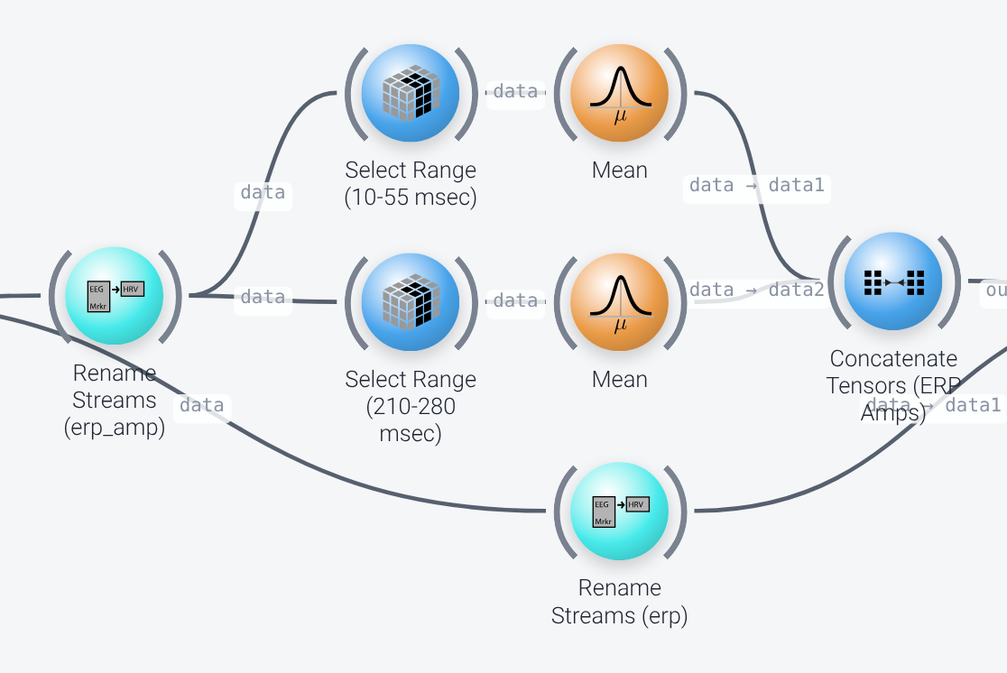
Two parallel branches of Select Range and Mean nodes compute the average ERP amplitude in two time windows of the ERP. The Select Range nodes select a time range on the time axis (unit of seconds): 10 to 55 milliseconds (0.01...0.055), which yields the eye movement artifact, and 210 to 280 milliseconds (0.21...0.28), which yields an occipital P200 response. The Mean nodes average the values over time. A Concatenate Tensors node (titled Concatenate Tensors (ERP Amps)) joins the two amplitudes, along a new time axis (create_new).
Two Rename Streams nodes rename the stream with the ERP from eeg to erp, and the stream with the amplitudes from eeg to erp_amp (their name_changes property), to be able to tell the two streams apart in the exported file.
Export
Includes: Merge Streams, Export HDF5 and Inspect Packet
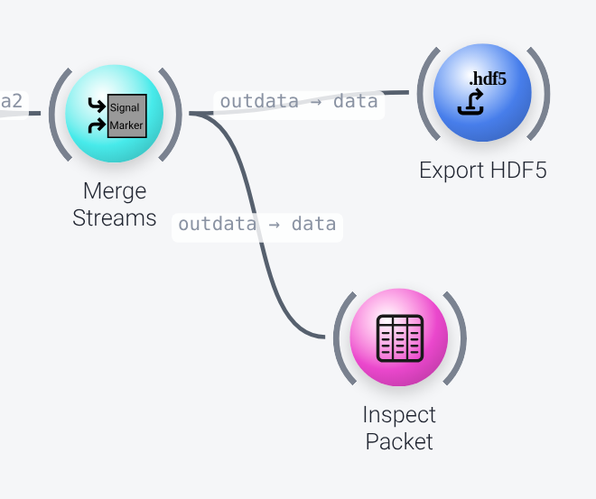
A second Merge Streams node merges the two streams, the ERP and the ERP amplitudes, and an Export HDF5 node writes them to a file (its filename property, erp.h5). HDF5 is a widespread format that many data analysis packages, including MATLAB, can open. As the node cannot write streaming data incrementally, it can only be used for recorded data. Instead of exporting the results, you could also send them over LSL, for instance.
An Inspect Packet node shows the data that is exported, in a window. Note that this window keeps the pipeline running until it is closed manually.