Neural oscillatory state regression
Neural oscillations are related to neural states such as relaxation, emotions, cognitive processing and motor control. This example pipeline, OscillatoryRegression.pyp, shows how to predict a continuous value, here the emotional valence of a stimulus, from the power of the neural oscillations in the EEG. It is a regression pipeline, as opposed to a classification pipeline, in which the target is one of a number of categories (see for instance the calibrate on prerecorded data example).
The pipeline is calibrated on a recording, which it uses to learn how the EEG relates to the reported valence, and then applies what it learned to a stream of data, where it outputs the predicted valence for each trial, and measures how far the predictions are from the reported values. The main node of the pipeline is a Source Power Comodulation (SPoC) filter, which extracts the components of the EEG whose power is related to the target value. The pipeline uses one of the example data sets that ship with NeuroPype, EmotionValence.set.
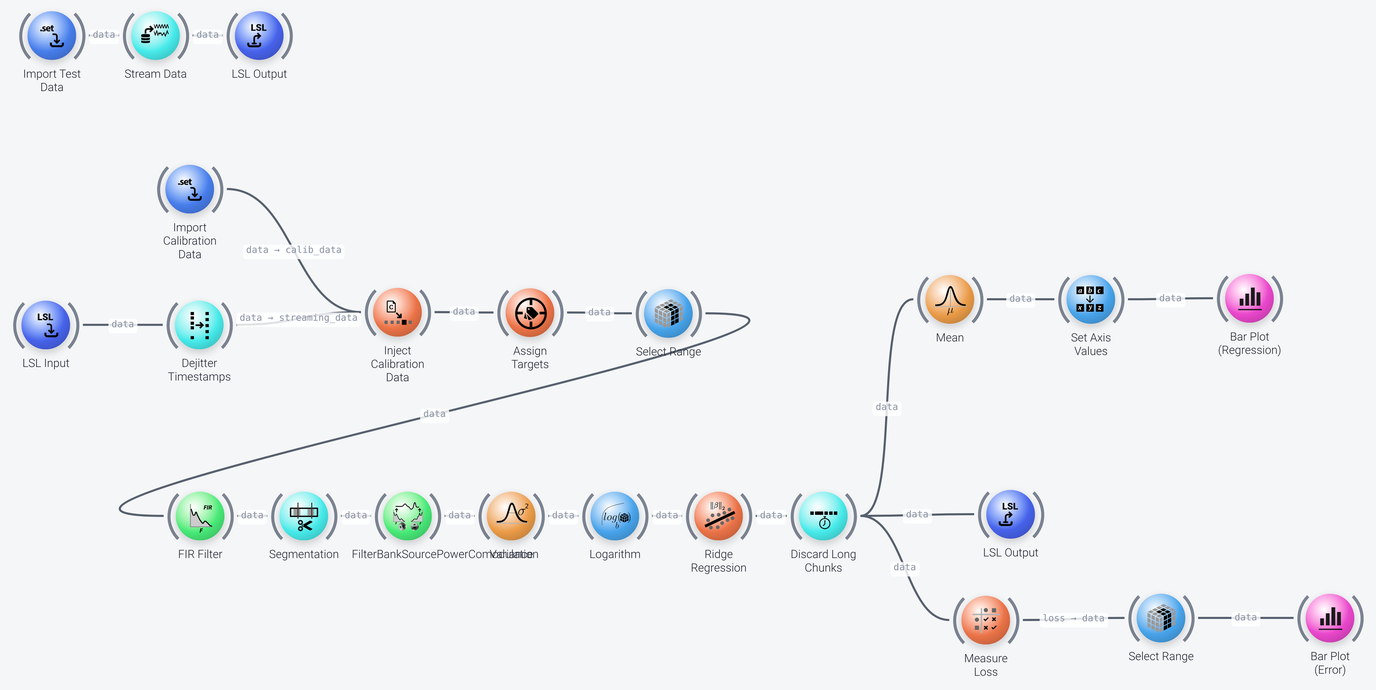
The pipeline can be divided into six parts, which we discuss in the following: data acquisition and calibration, preprocessing, feature extraction, regression, the output of the predictions, and the measurement of the error.
Data Acquisition and Calibration
Includes: Import SET, LSL Input, Dejitter Timestamps and Inject Calibration Data
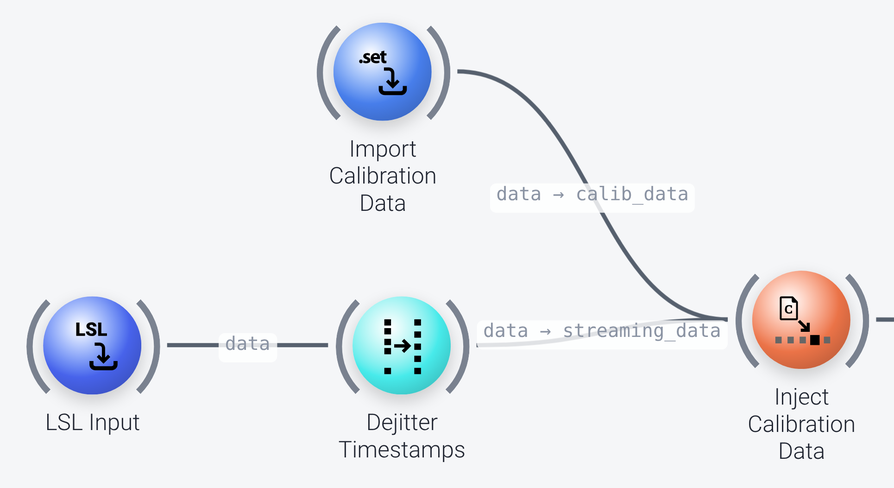
As in the calibrate on prerecorded data example, the Inject Calibration Data node first lets a calibration recording through, from the Import SET node (titled Import Calibration Data, whose filename is EmotionValence.set), so that the adaptive nodes of the pipeline (the SPoC filter and the regression) can train on it. It then lets through the streaming data, which comes from an LSL Input node and Dejitter Timestamps, so that the trained pipeline processes it. Its delay_streaming_packets property is enabled, so that no streaming data is lost on the tick on which the calibration data passes through. See that page for a more detailed explanation of this node.
The streaming data is played back from the same file, so that the example can be run without any hardware. The three nodes at the top of the pipeline (Import SET titled Import Test Data, Stream Data and LSL Output) play it back as an LSL stream called OutStreamData (the LSL Output node has send_markers enabled, so the markers are sent as a second stream, OutStreamData-markers), which the LSL Input node finds with its query and marker_query properties. See Data input in the example pipelines for more on this setup and for how to use your own live data. With live data, the calibration recording should come from the same device (with the same channels) as the live stream. In real life, you would of course use different recordings for the calibration and for the test.
Preprocessing
Includes: Assign Targets, Select Range, FIR Filter and Segmentation
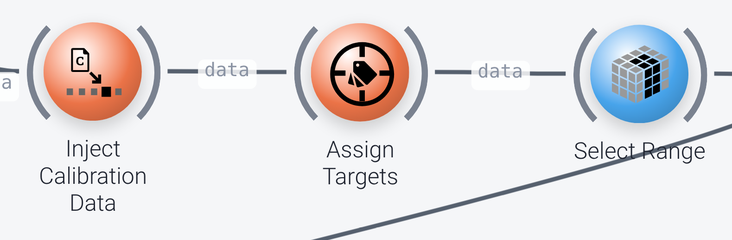
Assign Targetsassigns a numeric target value to each marker, which is what the regression is trained to predict. Itsmappingproperty assigns a valence value (between 1 and 10) to the marker for that stimulus (for instance 2.6 to10_ev, and 9.6 to15_ev, taken from theMarkercolumn, itsiv_column). Only the markers listed in the mapping, which here all end in_ev, are used. To use the pipeline for your own data, setmappingto the markers in your data and the values to predict.-
Select Rangekeeps the first 40 channels (aselectionof:40on thespaceaxis, usingindices), because the other channels of this file are not EEG.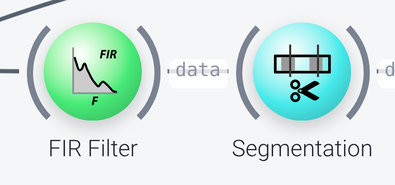
-
FIR Filteris a band-pass filter that keeps the frequencies from 8 to 30 Hz (thefrequenciesare 6, 8, 30 and 32 Hz), in which the neural oscillations of interest are found. Segmentationcuts the data into one segment, a trial, for each target marker, from 0.5 to 3.5 seconds after the marker (time_bounds). The trials are stored along aninstanceaxis. Itsonline_epochingproperty ismarker-locked, which extracts segments around markers in both the calibration and the streaming data. (The alternative,sliding, extracts a single segment at the end of the data on every tick, and is used when there are no markers.)
Feature Extraction
Includes: Filter Bank Source Power Comodulation, Variance and Logarithm
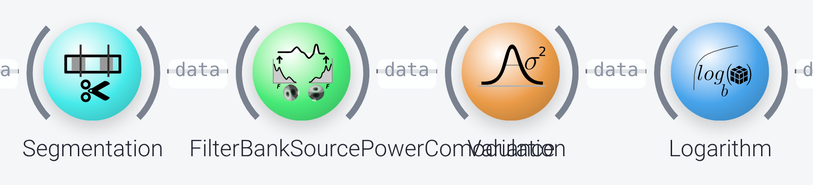
The Filter Bank Source Power Comodulation node (FBSPoC) decomposes the EEG into components whose power, over the trials, is related to the target value that was assigned to them (target_field is TargetValue). It does this separately in five frequency bands (bands: 0.5-3, 4-7, 8-12, 13-30 and 31-42 Hz), and the number of components in each band is set by nof (3 pattern pairs here). It calibrates itself on the calibration data, which has the instances and the target values that it needs, and it applies the same components to the streaming data. It is a generalization of the SPoC method to multiple bands, and is to regression what the filter bank CSP node is to classification (see the cross-validation example).
The Variance node then computes the variance of each component over time (axis of time), which is the power of the component in the trial, and Logarithm takes its logarithm. This yields the features for the regression.
Regression
Includes: Ridge Regression and Discard Long Chunks
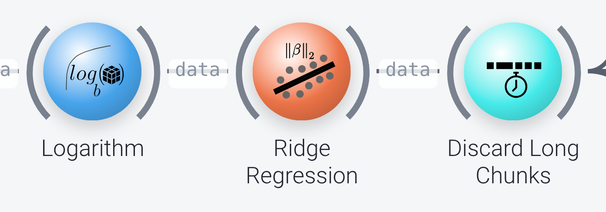
The Ridge Regression node learns a linear model that predicts the target value from the features, using l2 regularization, whose strength is chosen from the values in alphas, using the mean squared error as the criterion (search_metric). It trains on the calibration data, and then, for each trial in the streaming data, it outputs the predicted target value.
The Discard Long Chunks node drops the chunks that are longer than 10 seconds (threshold). This is needed because the calibration data goes through the pipeline first, and the long chunk that results from it (a node can spend a long time calibrating itself) should not be plotted or sent out. The predictions for the streaming data are short, and pass through.
Output of the Predictions
Includes: LSL Output, Mean, Set Axis Values and Bar Plot
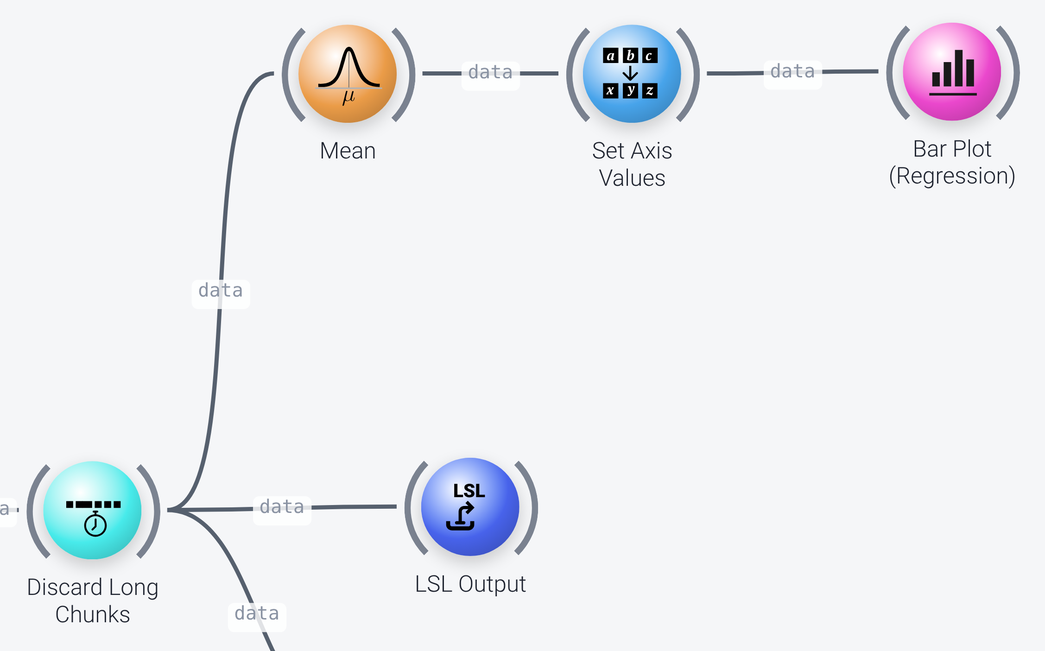
The predictions are sent out over LSL by an LSL Output node, as a stream called OutStream2 (with a stream_type of Control), so that other applications can use them. They are also plotted on a Bar Plot (titled Regression, with the y_limits set to 0 to 10, the range of the valence values). Since a Bar Plot expects a vector, a Mean node first averages the predictions over the trials (the instance axis), and a Set Axis Values node gives the single feature of the result a name (metric).
Measuring the Error
Includes: Measure Loss, Select Range and Bar Plot
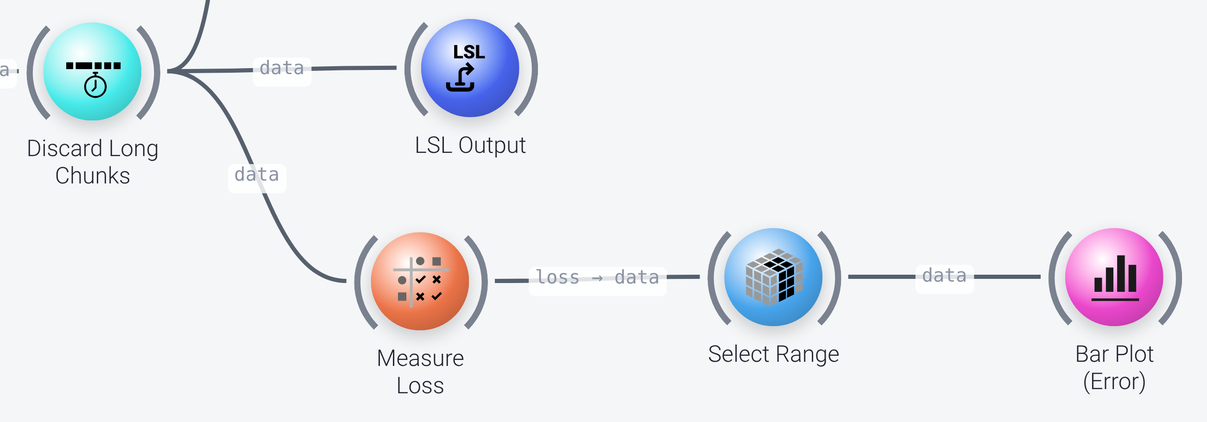
The Measure Loss node compares the predicted values with the true target values of the trials (found in the TargetValue field, the cond_field) and computes the error metrics that are set by loss_metrics, here the mean squared error (MSE). It accumulates the result over the trials as they come in. With the stats-axis output_format, the results are put on a statistic axis (see the documentation of the node for the output formats), from which the Select Range node selects the value item. Here we plot the error on a Bar Plot (titled Error), but we could also plot, for instance, the p-value instead.